Making food delivery faster without faster couriers
Qatar's food and delivery super-app: 12 categories, two languages and 300,000+ registered users, most of them ordering again.
4 months1 of 3 designers · 1 PM
5 min read · research, decisions and trade-offs
Challenge
Ordering had to get faster, but couriers weren't ours to speed up. 12 categories competed with the core food flow, on every screen in Arabic and English.
Goal
Cut the time people spend inside the app before they place an order.
What I did
Research, design and feedback rounds across the ordering flow. Shipped a home screen ranked for returning users, dish-level search and one-tap reorder.
Results
−31%
median time to place an order
+18%
reorder rate among returning users
+9%
order completion rate
−24%
support contacts
Full case study · 5 min read
Every screen in the ordering loop, and the rules behind it
3 constraints
7 screens
The design rules
The reframe
“Make ordering faster” usually means faster couriers, and that wasn't ours to give. So we went after the time people spent inside the app.
Not faster couriers. Less time in the app.
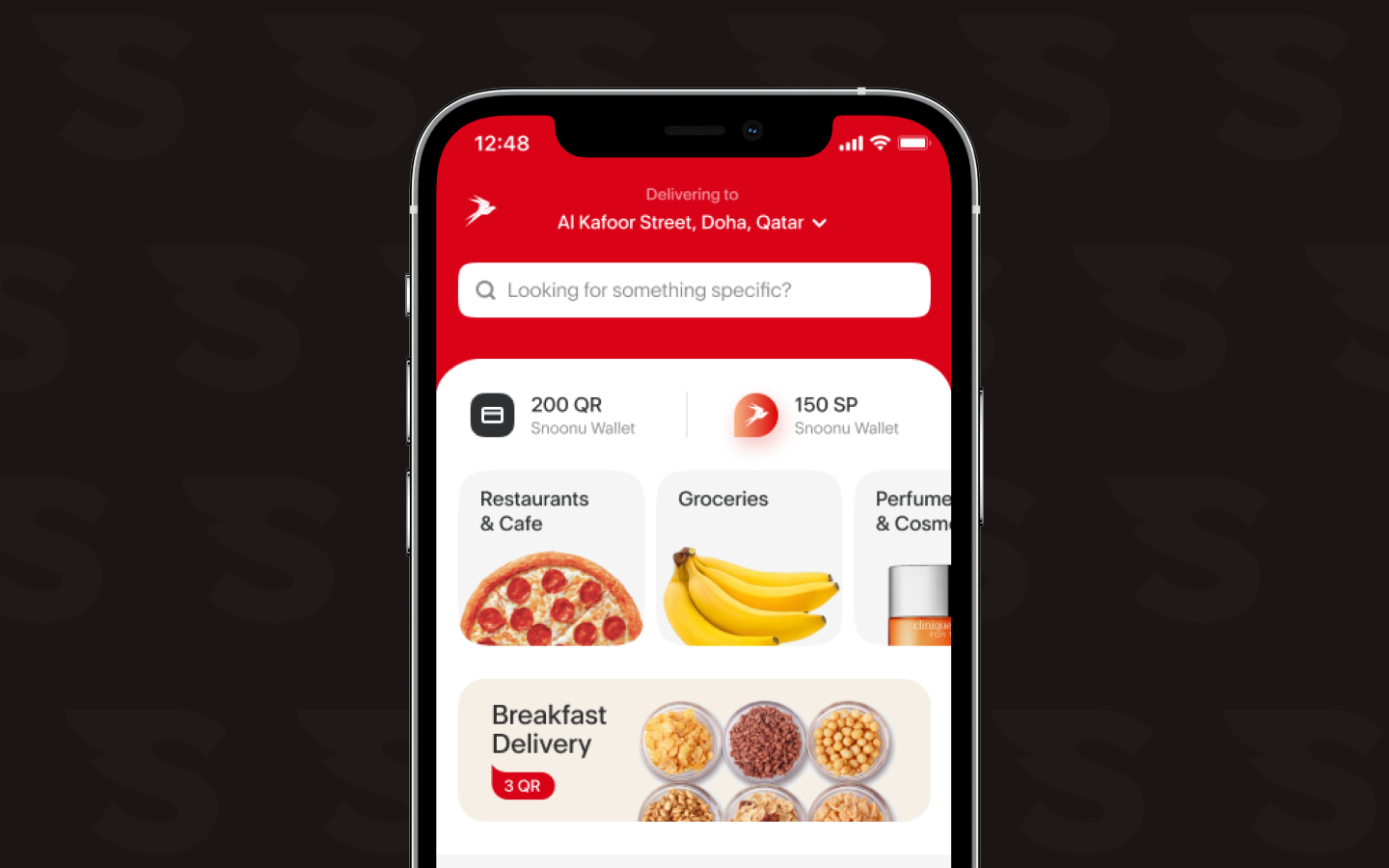
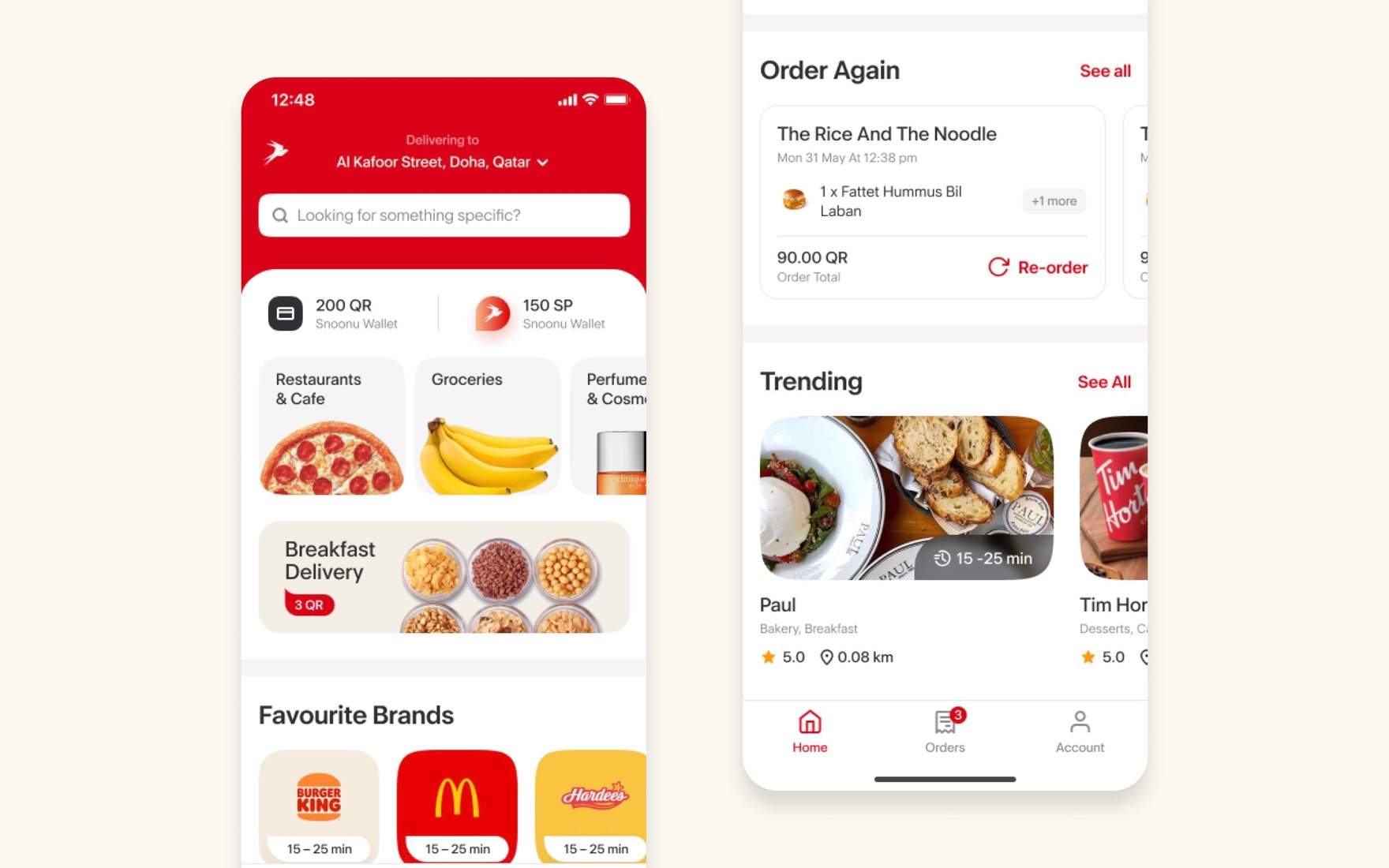
Home ranked for returning usersAddress, then Order again, then wallet. All above the fold.
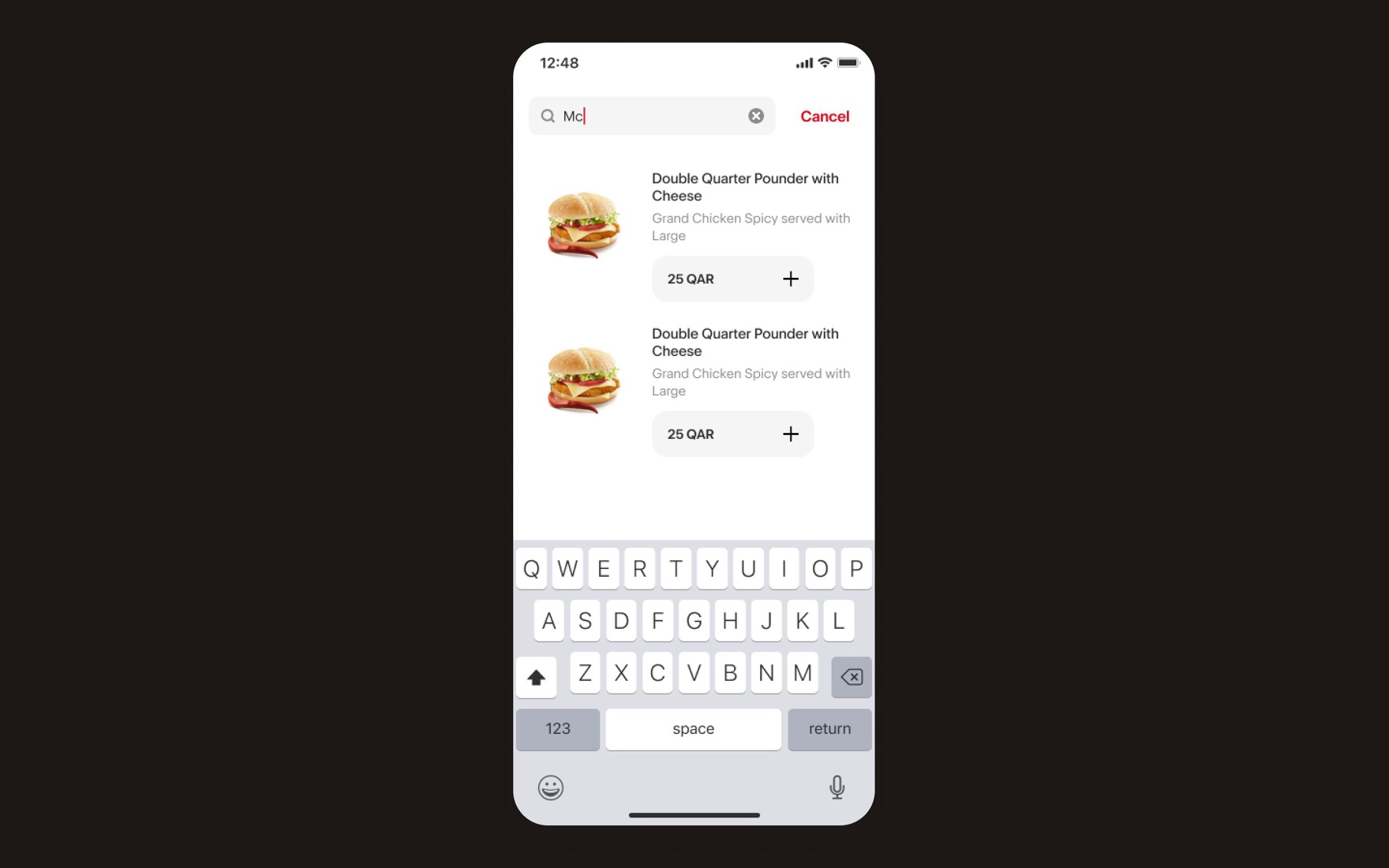
Search for dishes, not restaurantsAlmost 80% searched for a dish. Add it straight from results.
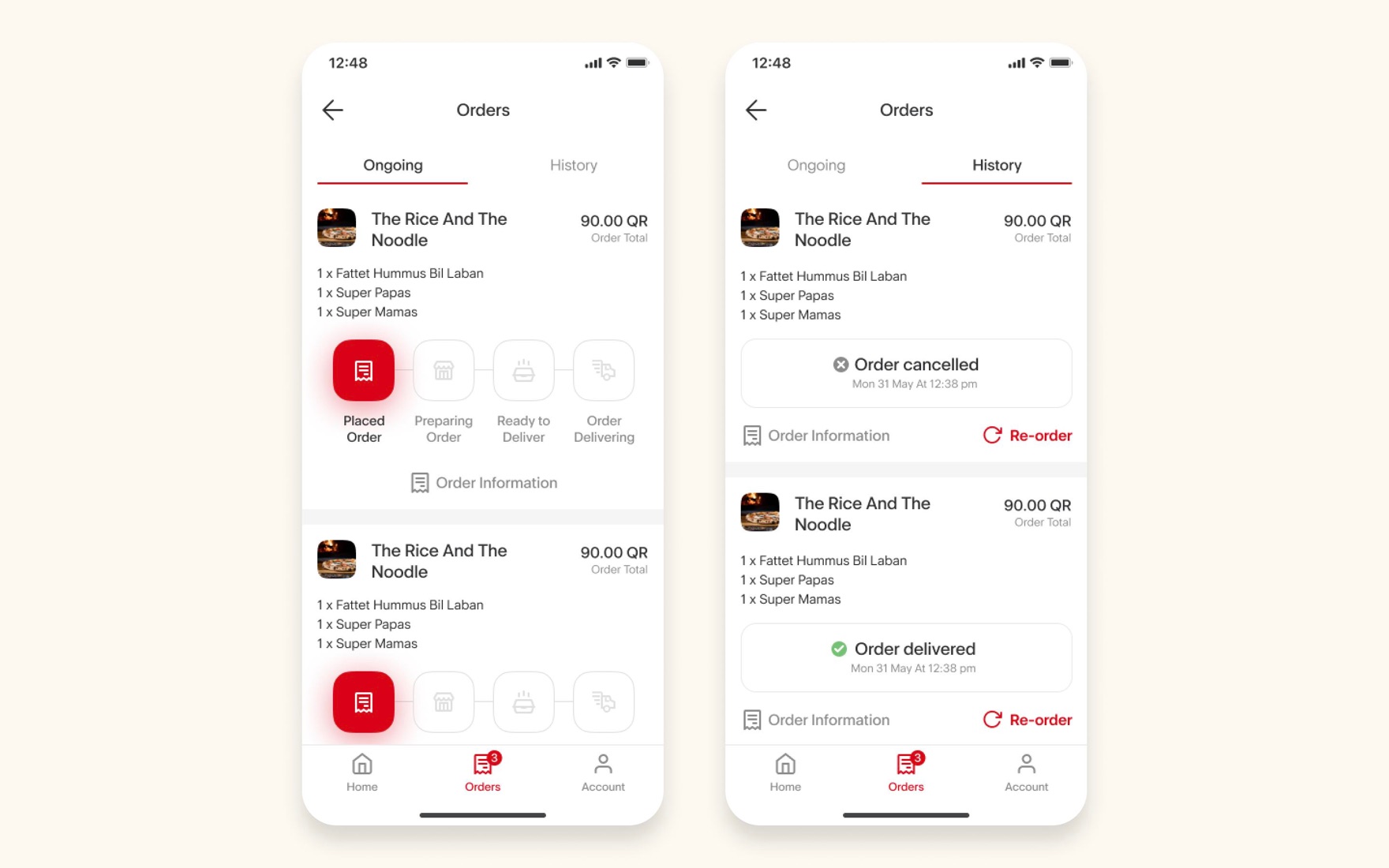
One tap to reorderPast orders sit one tap from Re-order. The receipt starts the next order.
The ordering loop
Seven steps from home to reorder. Pick one, then click the screen to see it full size.
↺ Back to Homethe receipt starts the next order
Step 1 of 7
Home
Ranked for returning users: address first, then Order again, then wallet.
Full case study · 5 min read
Every screen in the loop, and the rules behind it
“Make ordering faster.” A faster courier wasn't ours to give from a design file, so we reframed the problem to what the app could actually solve.
Constraints
Constraint12 categories
Food, groceries, pharmacy and more. Discovery couldn't drown the core food flow.
ConstraintMirrored twice
Every screen for Android and iOS, and for Arabic (right to left) and English.
Brand promise“Fastest delivery”
The app had to feel as fast as the courier.
Home as triage
A returning user usually wants one of three things. Home answers all three before they scroll.
Address first, everything second.
“Order again” earns its place high.
Wallet and balance in plain sight.
Almost 80% looked for a dish, not a restaurant
Item-level results. Typing “Mc…” shows the exact product with its price and an add button.
Add without leaving. The inline ”+” builds a cart straight from results, skipping the merchant page when it isn’t needed.
Instant, not on submit. Results stream as you type, so the keyboard never has to be dismissed to check.
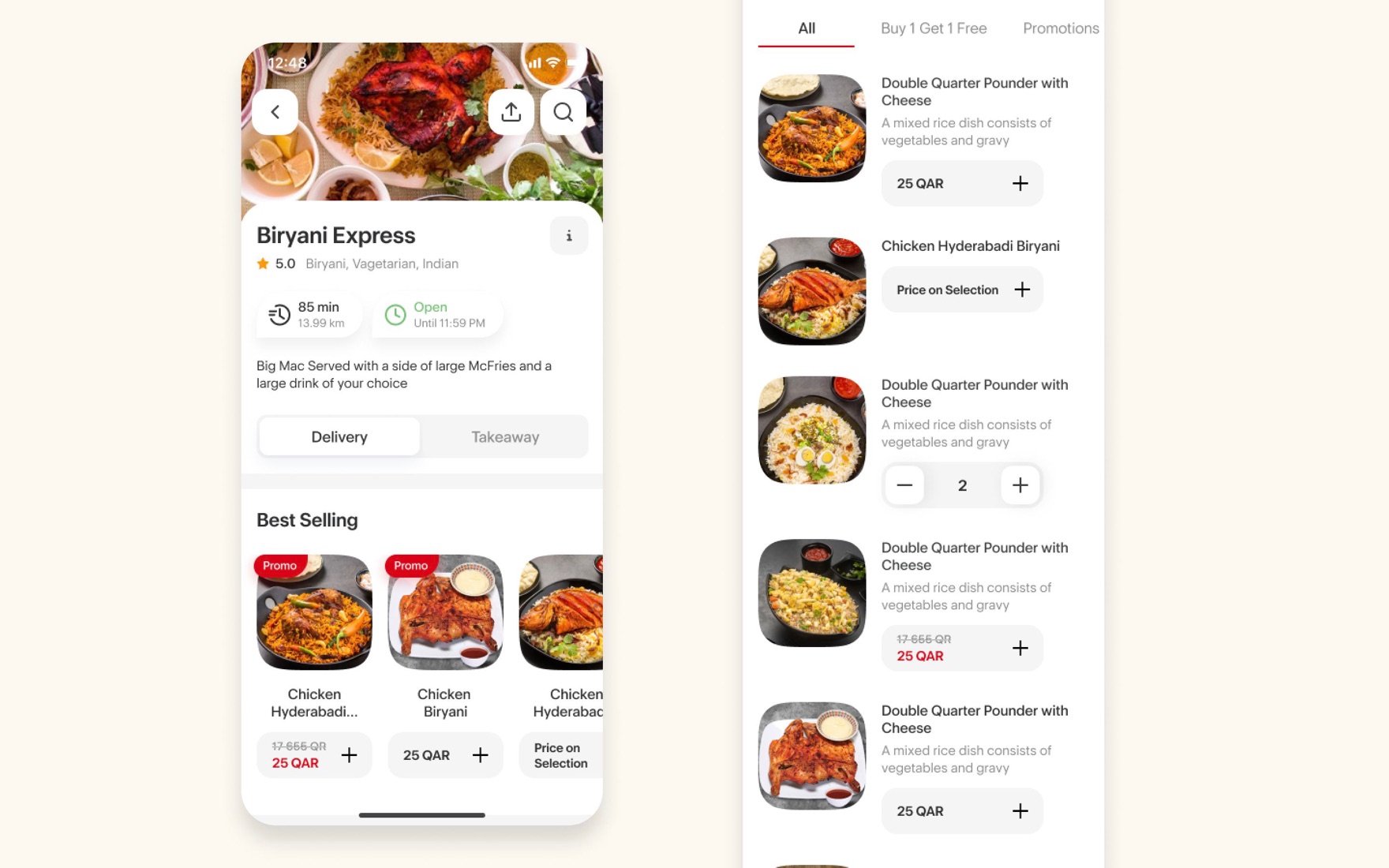
Merchant page
80% of decisions happen here. The page leads with trust (rating, hours, delivery time), then a best-sellers list removes choice paralysis before it starts.
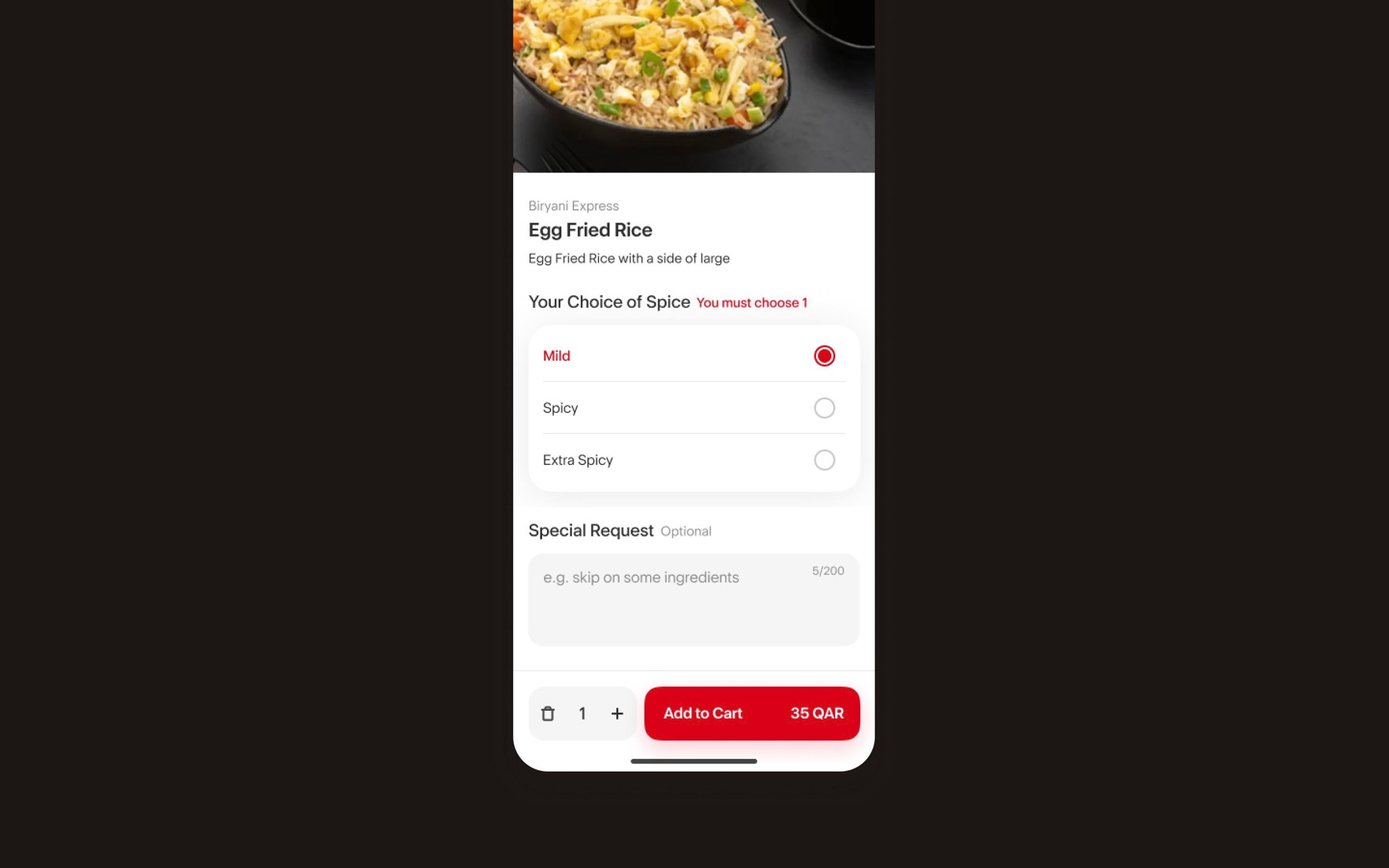
Customisation, where carts die
Tell users the rule, in red, before they break it.
Optional stays optional. Special requests are clearly marked, with a character count.
The action bar carries the truth. Quantity, live price and “Add to cart” sit in one bottom bar, so the total never surprises.
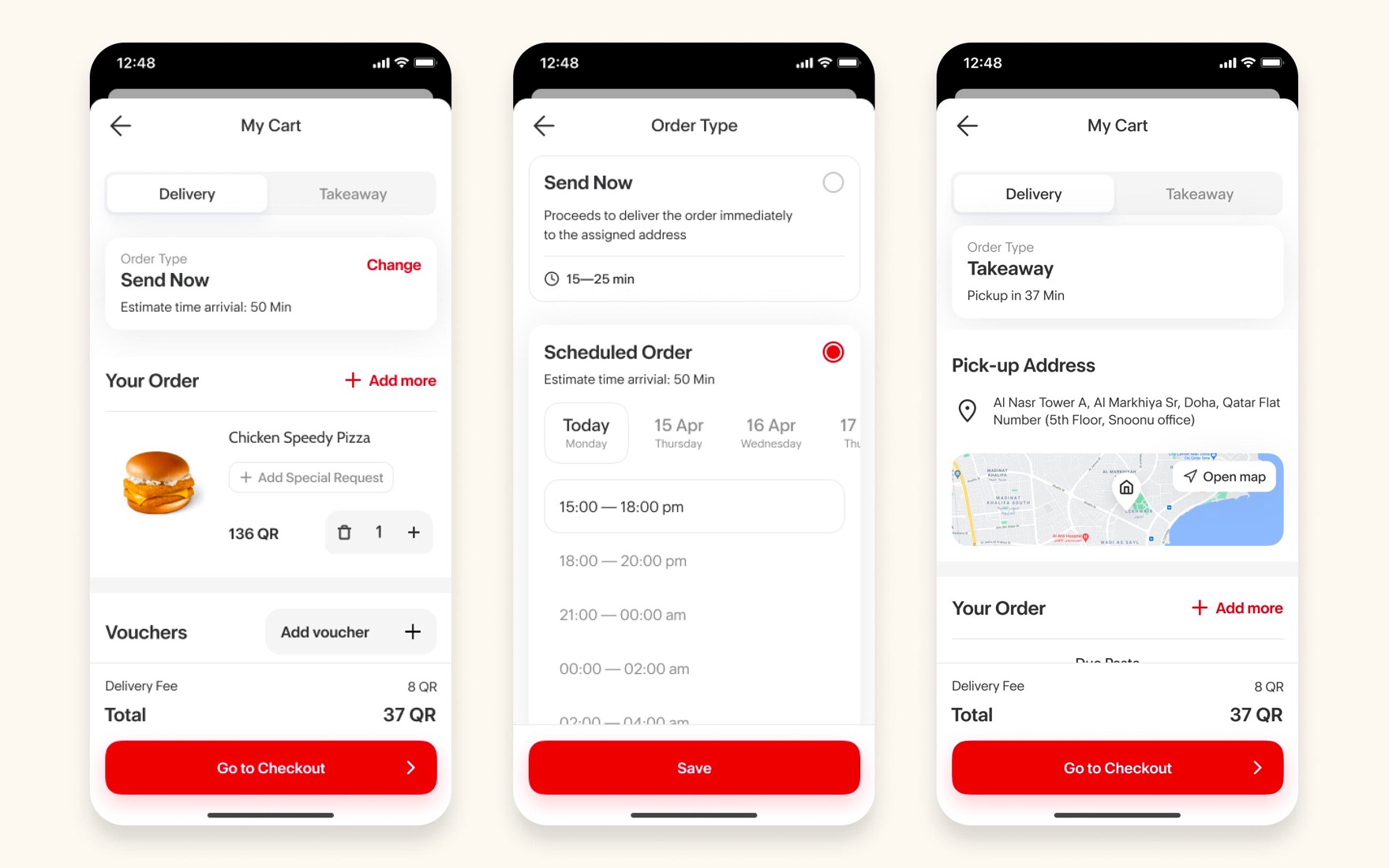
Cart: when and how
One cart, two questions. It defaults to the fastest answer, send now and deliver to me, then lets anyone change either without leaving the flow.
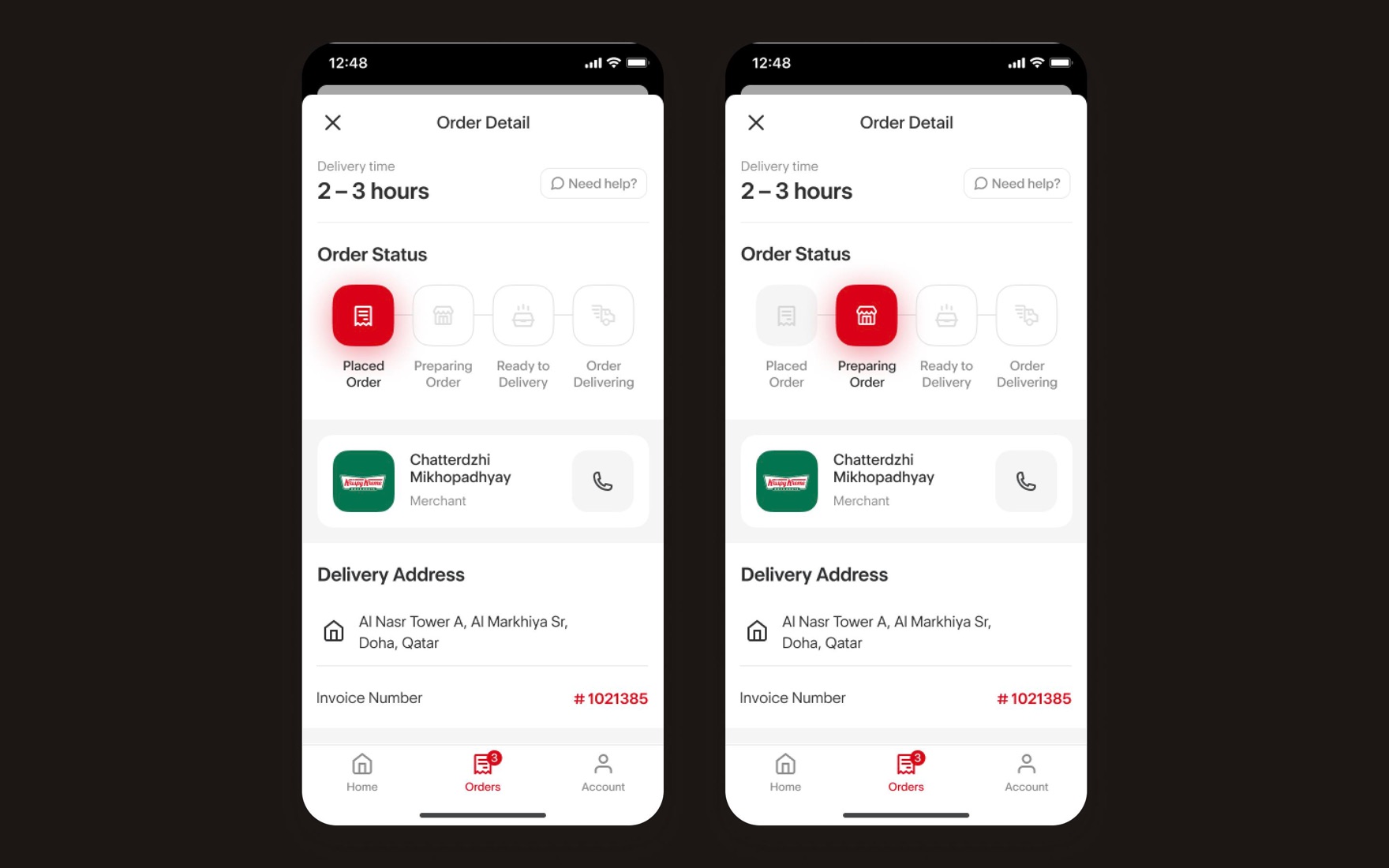
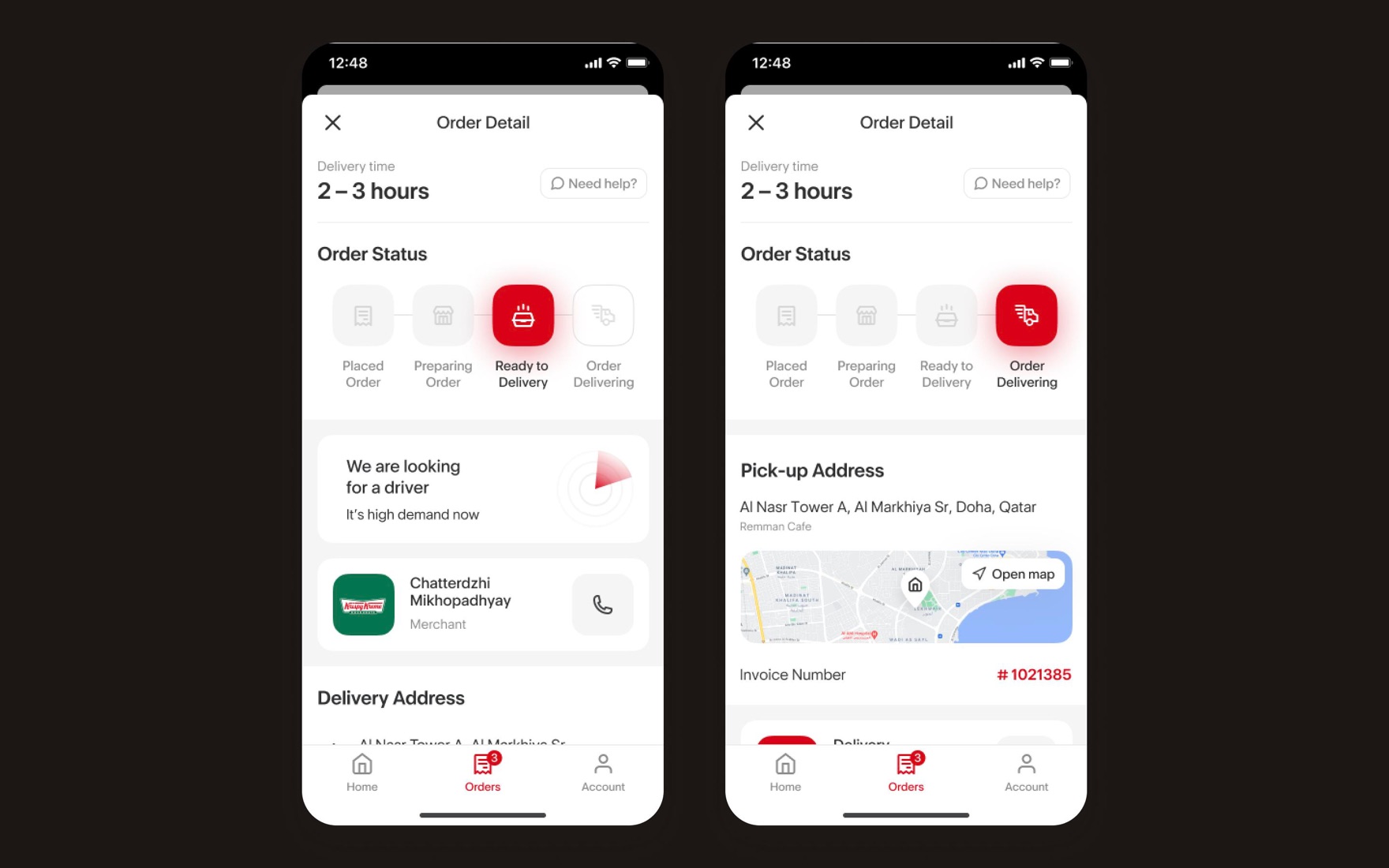
Tracking: turn the wait into progress
Wait time, order status, support, the right contact for each stage (merchant or driver) and delivery details, all on one screen.
The receipt starts the next order
Past orders sit one tap from Re-order, feeding straight back into the speed loop.
−31%
median time to place an order
+18%
reorder rate
+9%
completion rate
−24%
support contacts
Full case study · 5 min read
Every screen in the ordering loop, and the rules behind it