A web tool clinical trial teams use to set up how patient safety data reaches the drug safety system. Study builders configure it, and safety specialists approve it before any data goes out.
3 monthsSole designer · 2 PMs · 4 engineers
5 min read · research, decisions and trade-offs
Challenge
Setup took about 2 hours, often across several sittings. Nothing on screen showed what was configured, what was still pending, or whether it was ready for approval.
Goal
Make setup something one person can finish in one go, with a clear view of what's done, what's left and what's ready for approval.
What I did
Ran 6 weeks of research with 8 users, pushed back on a brief that asked for a visual refresh, and redesigned navigation, versioning and progress tracking around the real setup workflow.
Results
3 → 7 clients
using the product after the redesign
~75% faster
setup, from about 2 hours to about 30 minutes
1 admin, 1 sitting
instead of several specialists across several sittings
Full case study · 5 min read
Research, findings and the decision to push back on the brief
6 weeks of research
3 findings
3 before and afters
The hardest call
What the tool does
When a patient in a clinical trial reacts badly to a drug, the safety team needs to know fast. But the software where clinics log it and the safety team's system can't talk to each other. This tool is the bridge: one person sets up which details get sent where, another approves it.
A patient reacts badlyto a drug in a clinical trial
The clinic logs itin the trial's data capture software
The safety toolsends the right details to the safety teamWhat I redesigned
The safety teamreviews it and informs regulators
Before and after
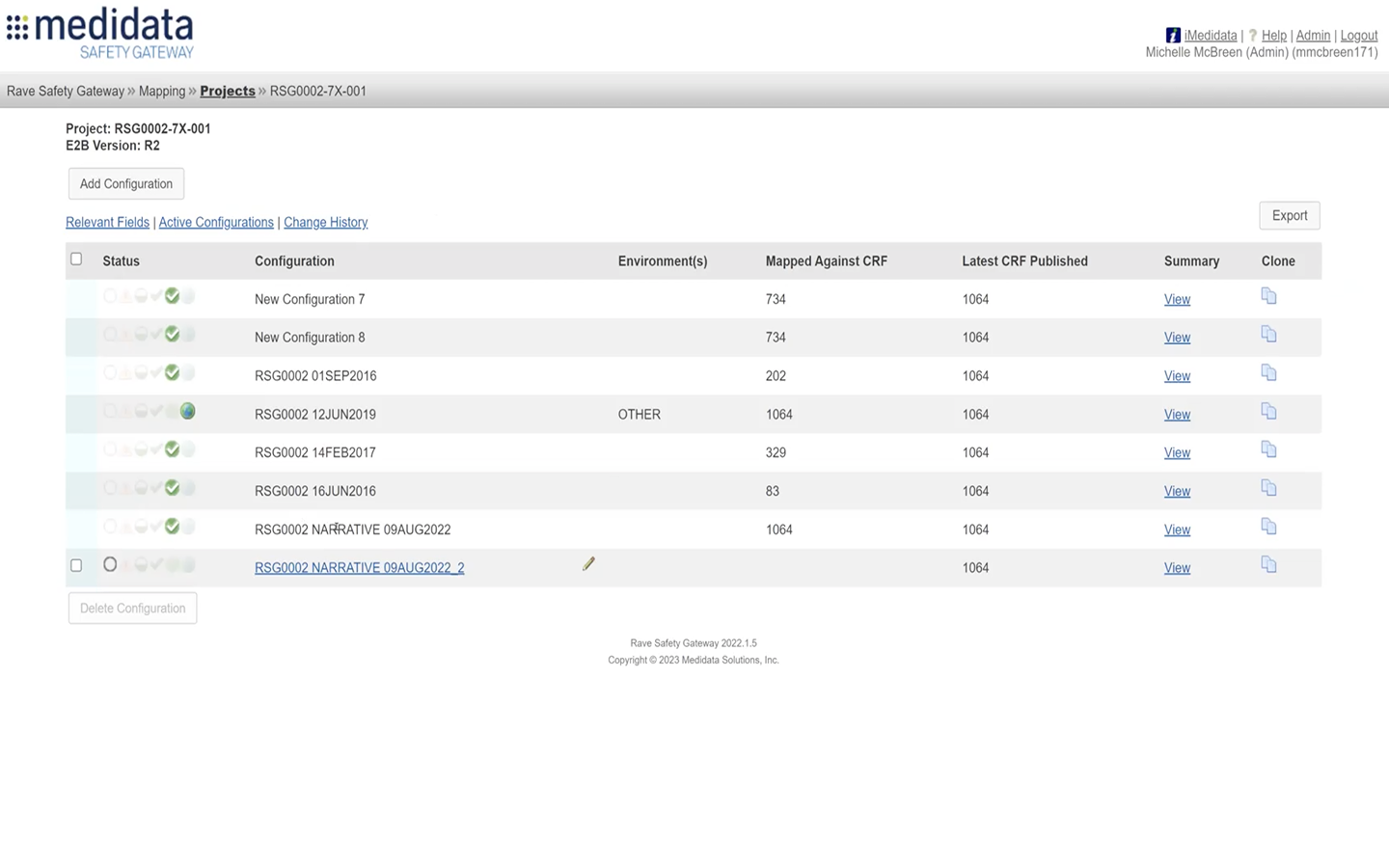
The list of setups for one study, before and after the redesign. Drag the handle to compare.
BeforeAfter
Three design decisions
Decision 1
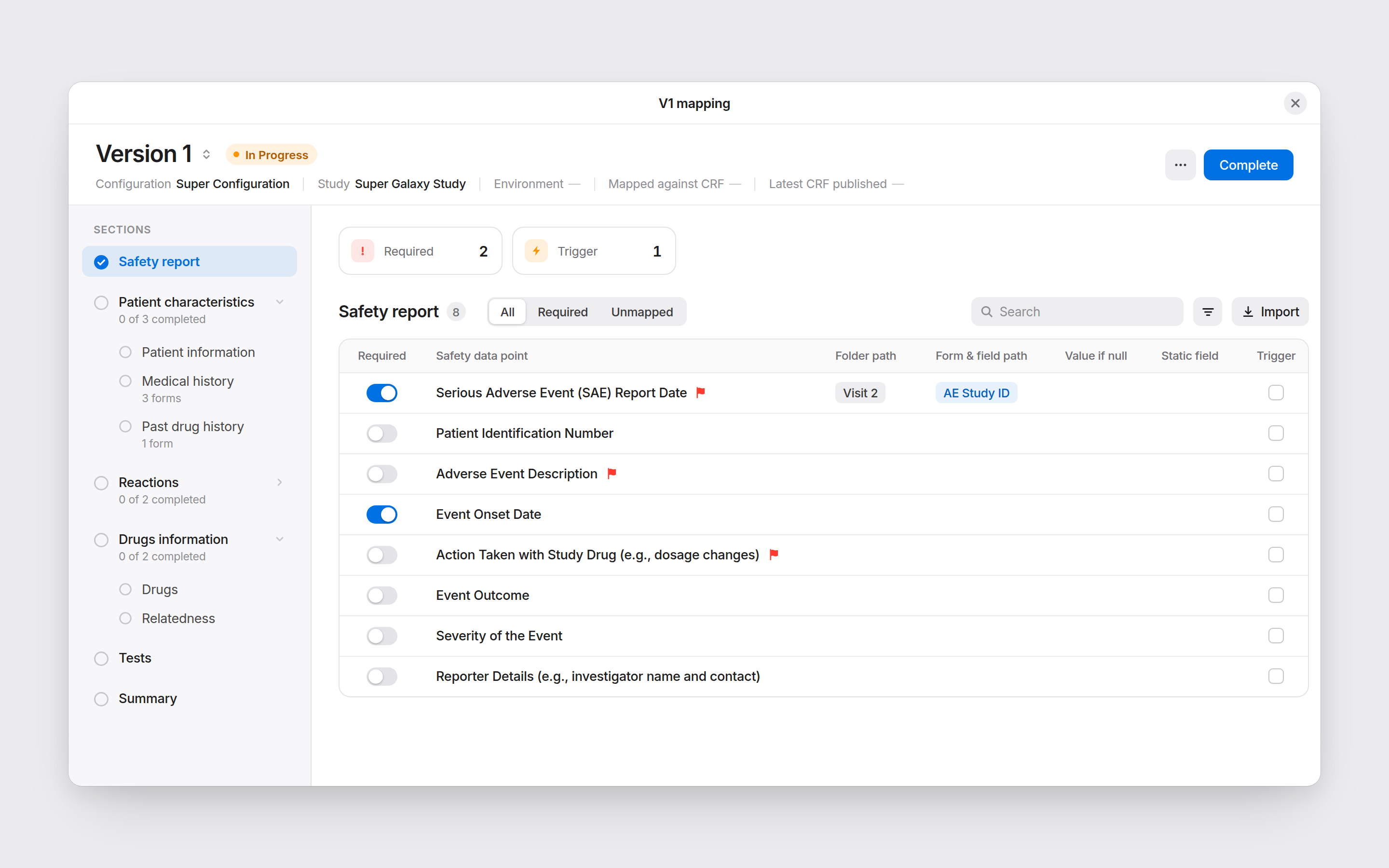
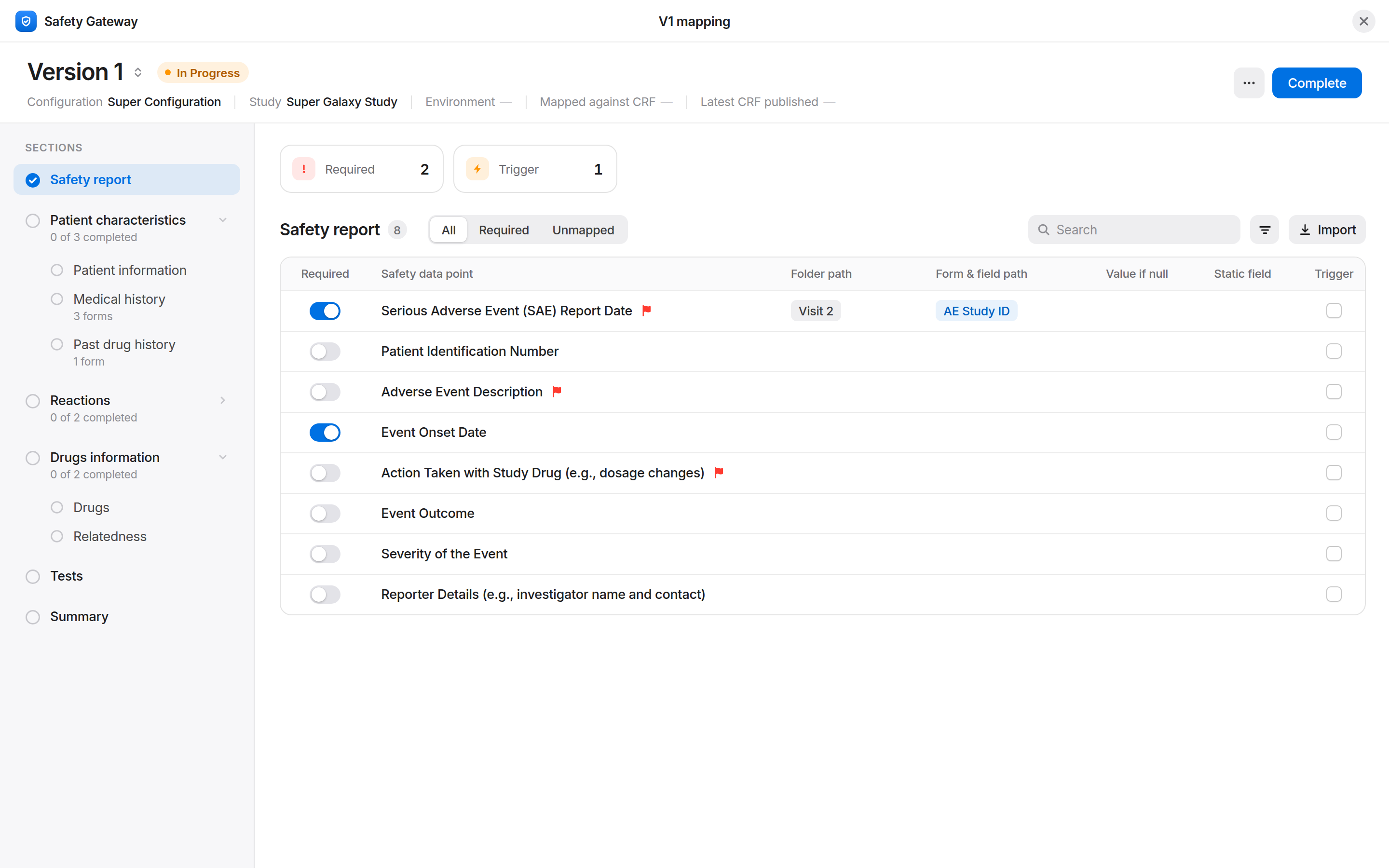
A sidebar that always shows where you are
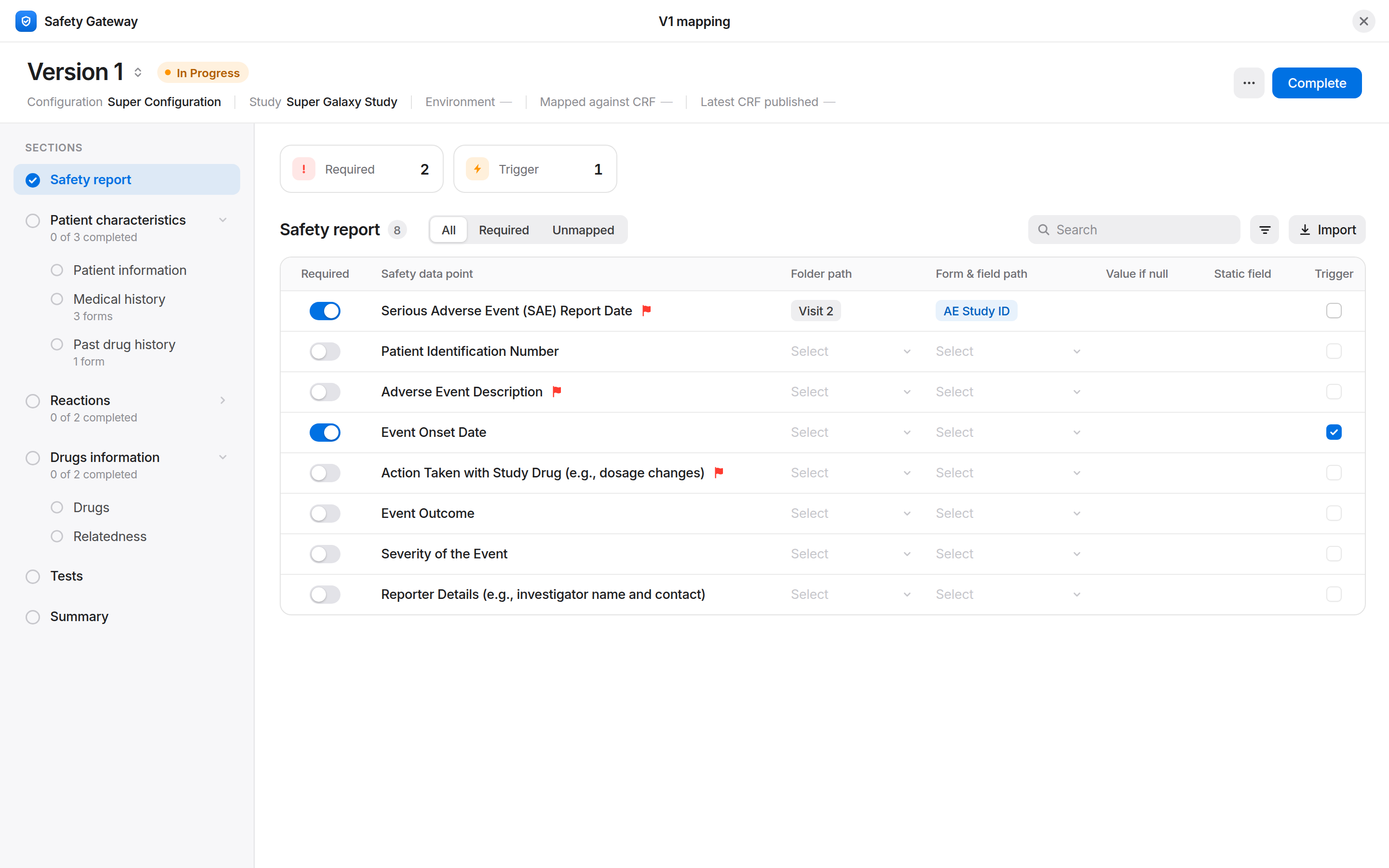
A sidebar lists every section of the setup and never leaves the screen, so people jump between sections without starting over. The header always shows which study, setup and version they’re in.
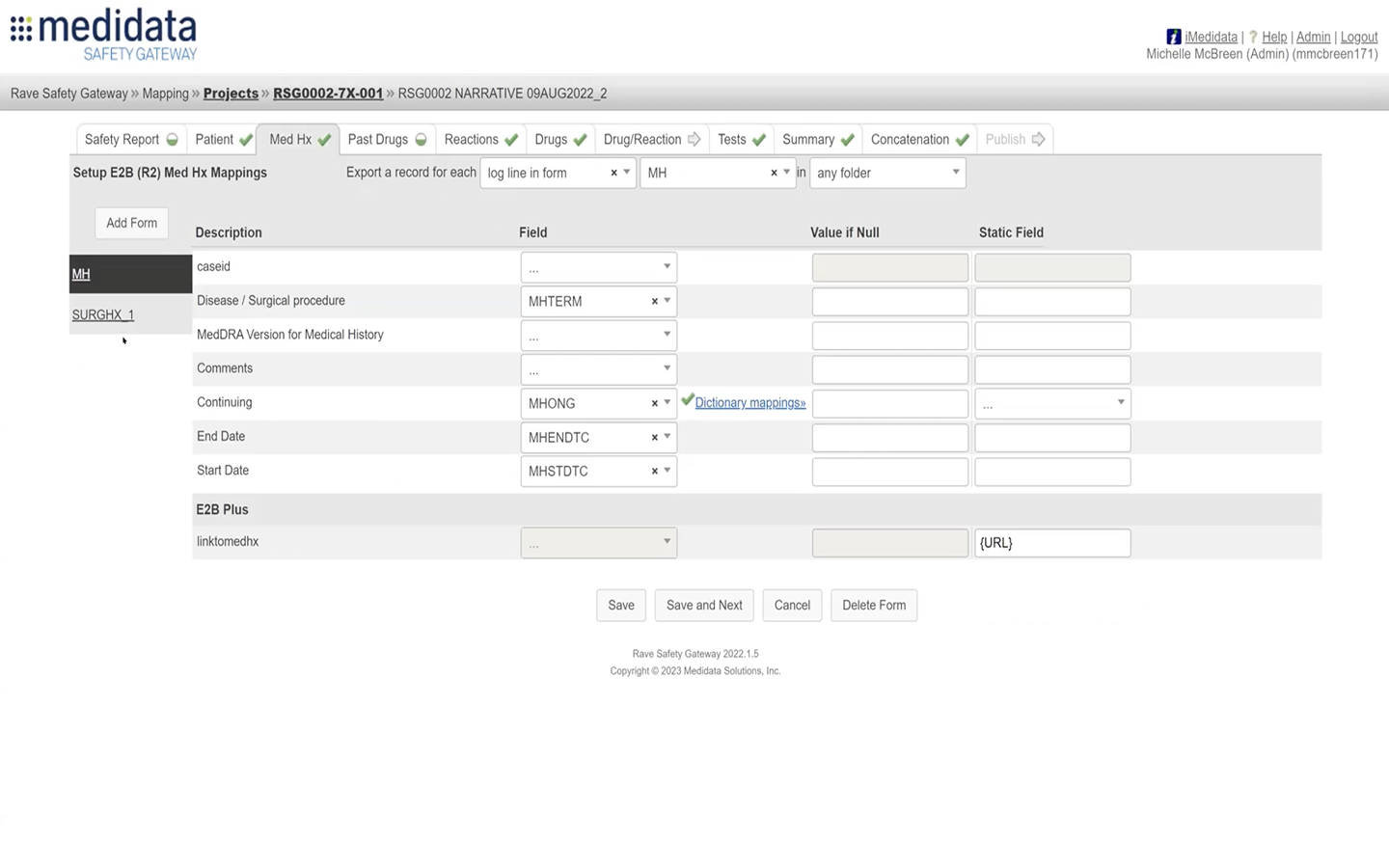
WhyThe old tool was one flat list. Once inside a study, people lost their place and had to go back to the top to reach another section.
Decision 2
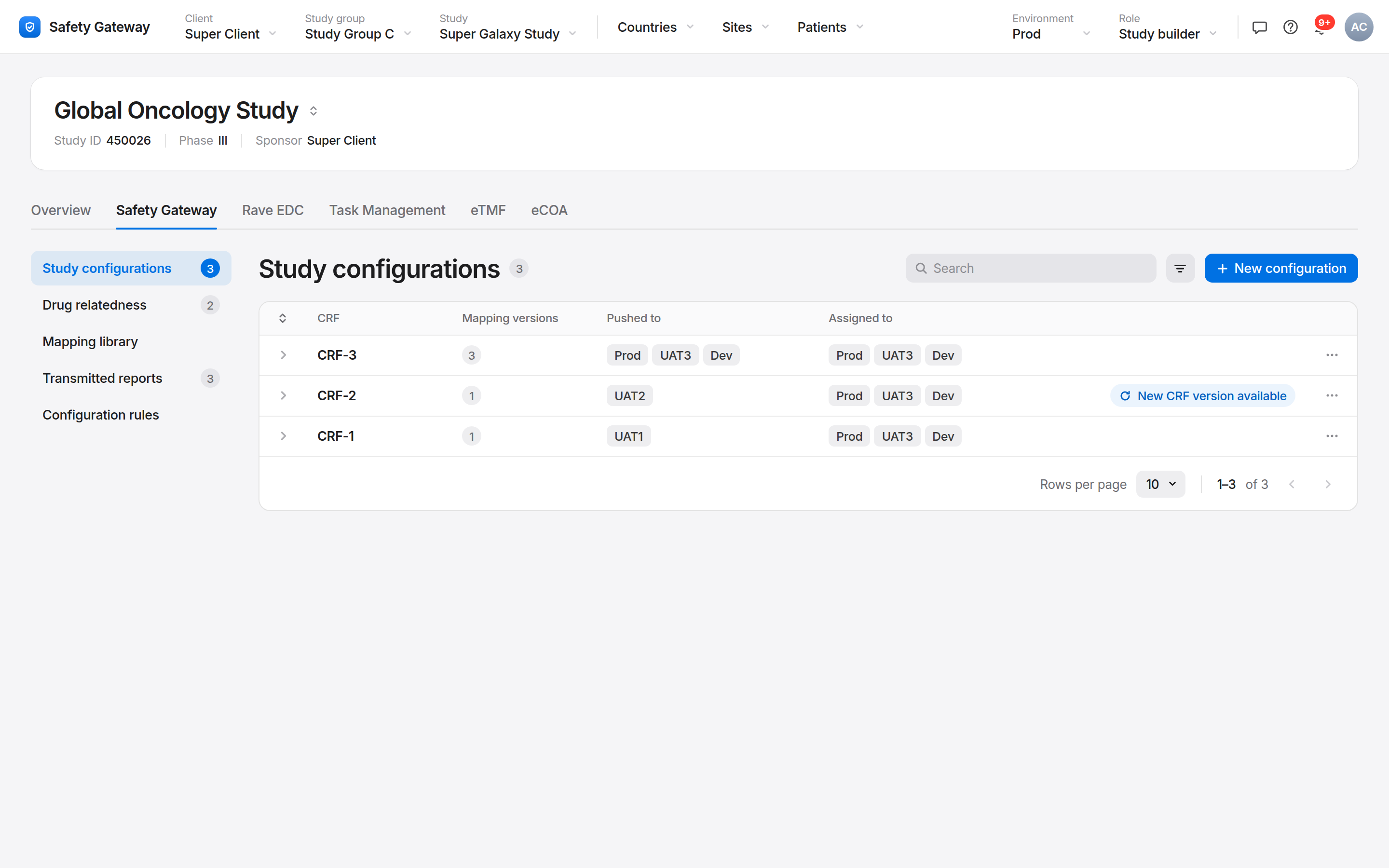
Versions you can see instead of remember
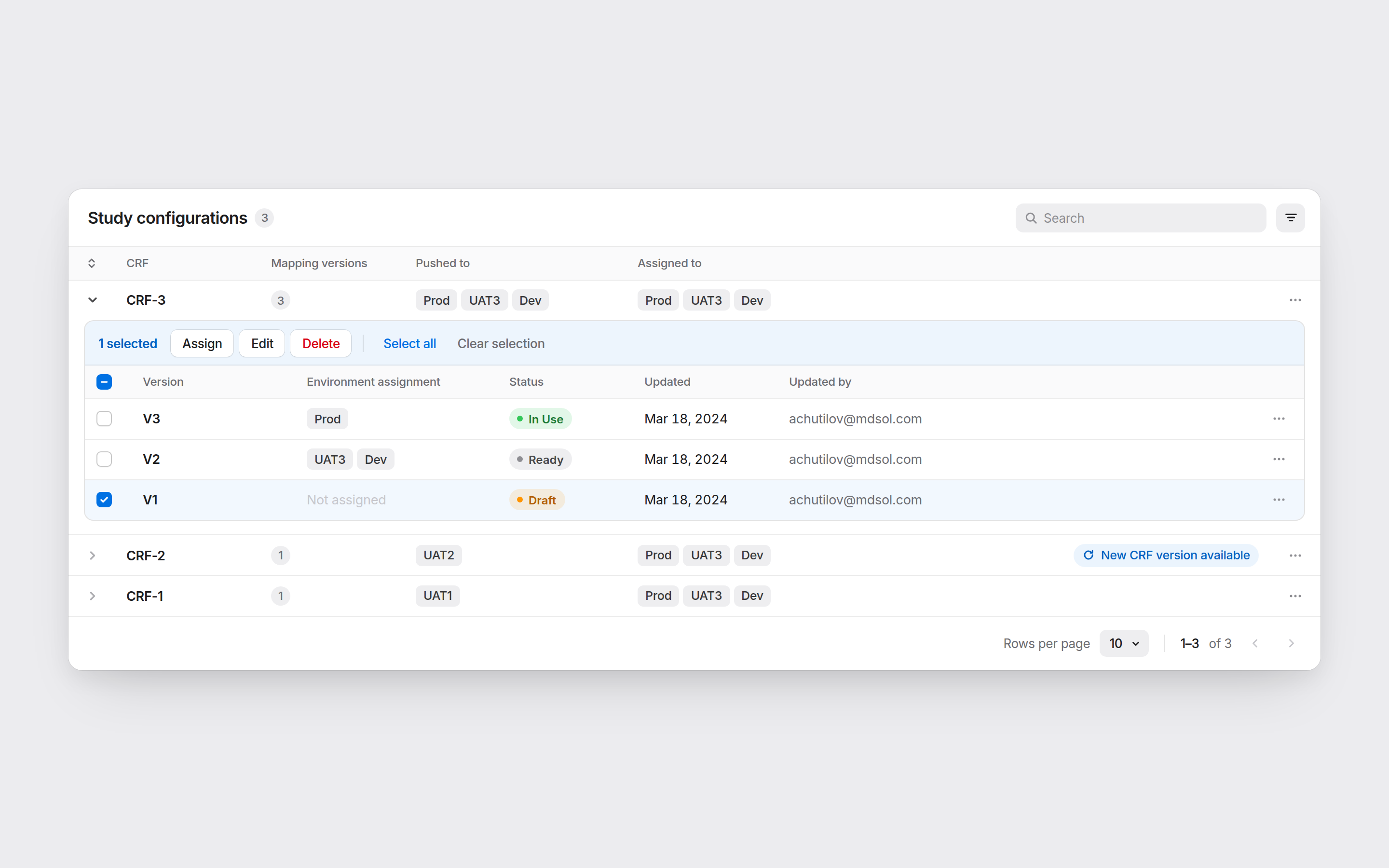
Every setup has named versions with a status (Draft, Ready, In Use) and shows where each one is live. One table, the whole picture.
WhyWhich version was live, and where, existed only in the backend. People kept that map in their heads. I designed the versioning model from scratch so the screen holds it for them.
Decision 3
Progress that survives a lunch break
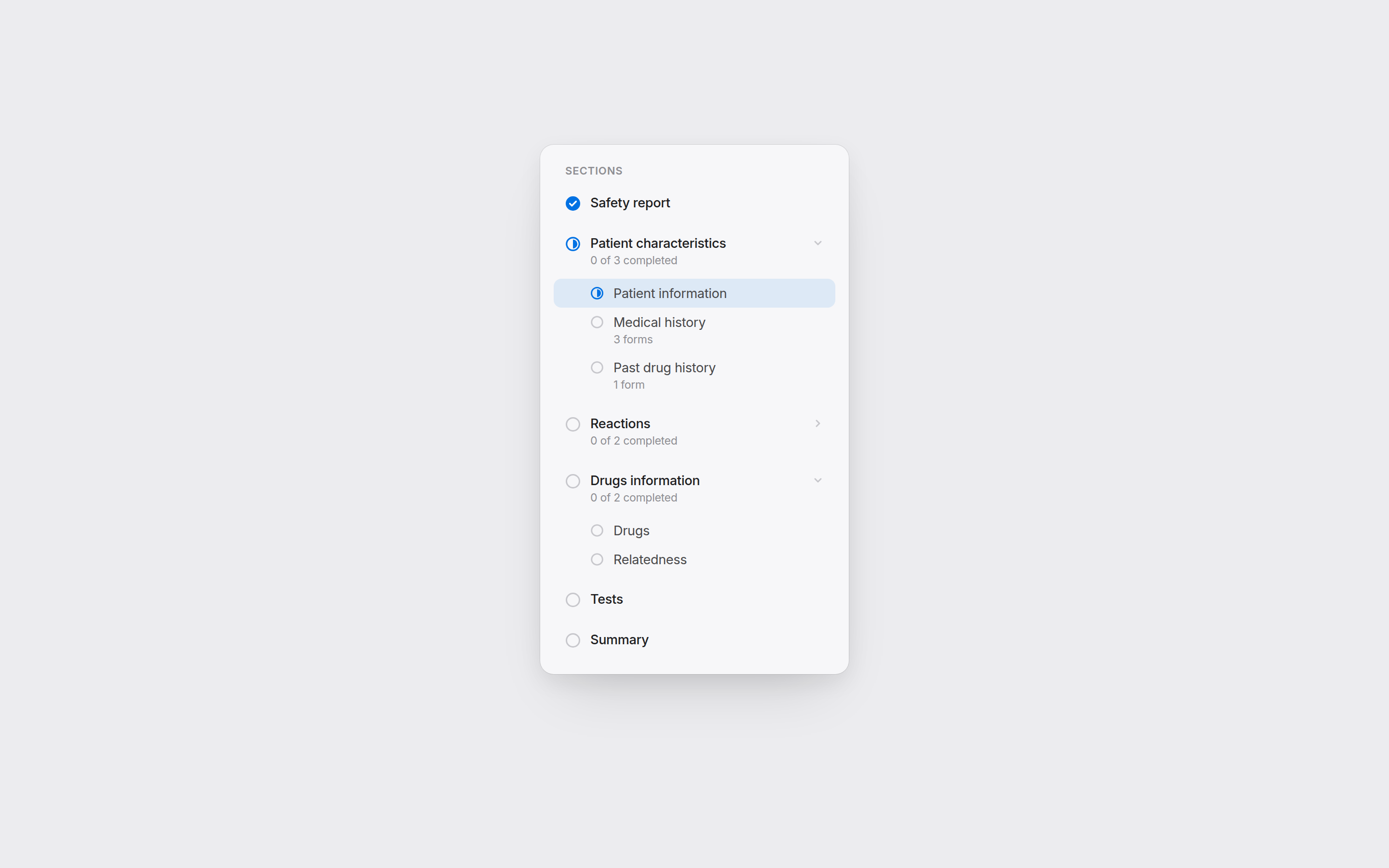
Every section shows what’s done, what’s in progress and what’s left. Come back after a break and carry on where you stopped.
WhyThe key research finding: nobody finishes a setup in one go. Sessions run for hours and get interrupted, sometimes for days, and every return meant re-checking everything.
Full case study · 5 min read
How a visual refresh became a structural redesign
The summary shows what shipped. This is how I got there: what we studied, what surprised us, and why I argued against the brief.
Research
~6 wk
of discovery before any pixels
8
interviews with study developers
1
step-by-step map of the old tool
2
lenses: competitors and other products on the platform
Aligned on scope with the product team
Mapped how people used the current tool, step by step
Interviewed 8 study developers
Reviewed how competitors solve the same problem
Reviewed how other products on the platform handle similar problems
Ran brainstorming rounds with PMs and engineers
What we found
“Update the visuals” was the wrong problem to solve.
FindingIt showed the plumbing
The screens mirrored how the backend worked. Users held a mental map of the whole system just to get through their work.
FindingNobody finishes in one go
Mapping sessions run for hours and get interrupted, sometimes for days. Every return meant re-scanning everything.
FindingVersions lived in people's heads
Which version was live in which environment existed only in the backend. Nothing on screen showed it.
We kept what users said already worked and spent the redesign on what they said was hard.
Decisions, before and after
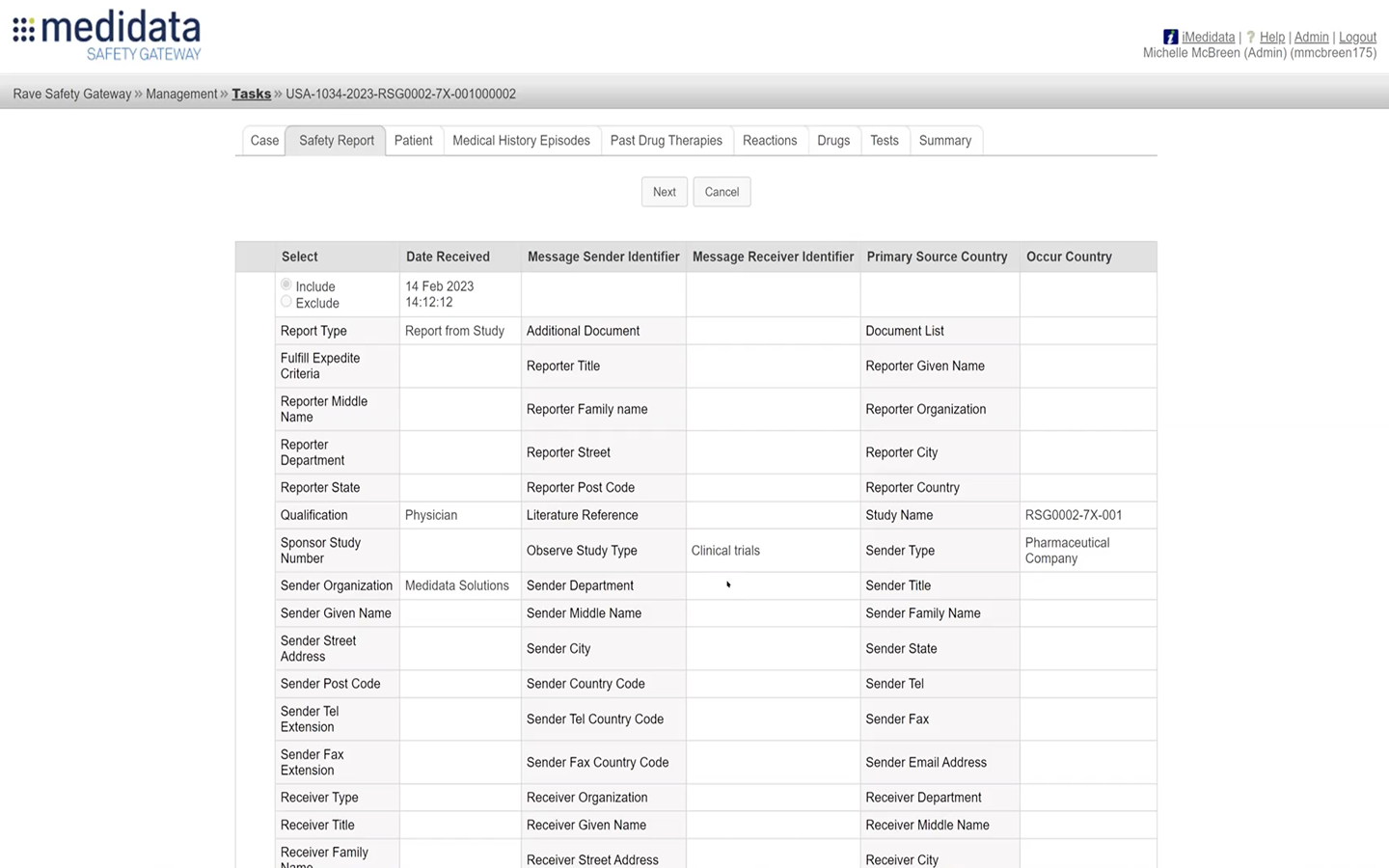
Navigation. From a flat list to a place you can’t get lost in.
BeforeAfter
Before
Click into a study and you had no idea where you were, or how to reach another section without starting over.
After
A sidebar lists every section of the setup and stays on screen, so you jump between sections without losing your place. The header shows which study, setup and version you're in. “Version 1 · In progress” is the draft being edited (versions are covered next).
Versioning. A versioning model designed from the ground up.
BeforeAfter
Before
Every configuration had several versions, each live in different places. None of it showed on screen.
After
Named versions (V1, V2, V3), each with a status of Draft, Ready or In Use, and where it's deployed. One table shows the whole picture.
Progress. A screen that remembers where you stopped.
BeforeAfter
Before
No way to see what was done, what was left, or what state a section was in. Every return started from scratch.
After
Per-section progress in the sidebar. Drop back in after a break, see what's done, continue.
The hardest call
The brief asked forA visual refresh
A list of small visual tweaks to make the tool feel current.
Research showedStructural problems
The tool was confusing to think with, not ugly to look at.
What I didArgued for the redesign
Protected what already worked and spent the effort on what users found hard.
Pushing back on the brief I was given was the hardest part of the project. Six weeks of evidence made the case.
Result
3 → 7 clients
using the product after the redesign
~75% faster
setup, from about 2 hours to about 30 minutes
1 admin, 1 sitting
instead of several specialists across several sittings
Full case study · 5 min read
Research, findings and the decision to push back on the brief